AI providers
Scelo's AI features (the scoped chats, model suggestions, narratives) run against an LLM provider. The default is local and private; hosted providers are opt-in.
Ollama (default — local, private)
By default Scelo talks to Ollama running on your machine: no key, no
spend, no network. Your data never leaves the device. The default model is
qwen2.5:7b-instruct.
Claude Code (your Claude login — no key)
If you already use Claude Code (the CLI), Scelo
can borrow that login: select Claude Code in Settings → AI providers and
Scelo answers by shelling out to the claude CLI already installed and
signed in on your machine. No API key, no extra spend beyond your Claude
plan — you get Claude-grade reasoning without pasting a key anywhere.
- Desktop app only. It needs the
claudeexecutable on yourPATH(install Claude Code and runclaudeonce to sign in). In a plain browser tab there's no CLI to call. - Model. Leave the model blank to inherit whatever your Claude Code uses
by default, or set an alias (
opus/sonnet/haiku) to pin one. - Test connection works here too, even though there's no key to enter.
Hosted providers
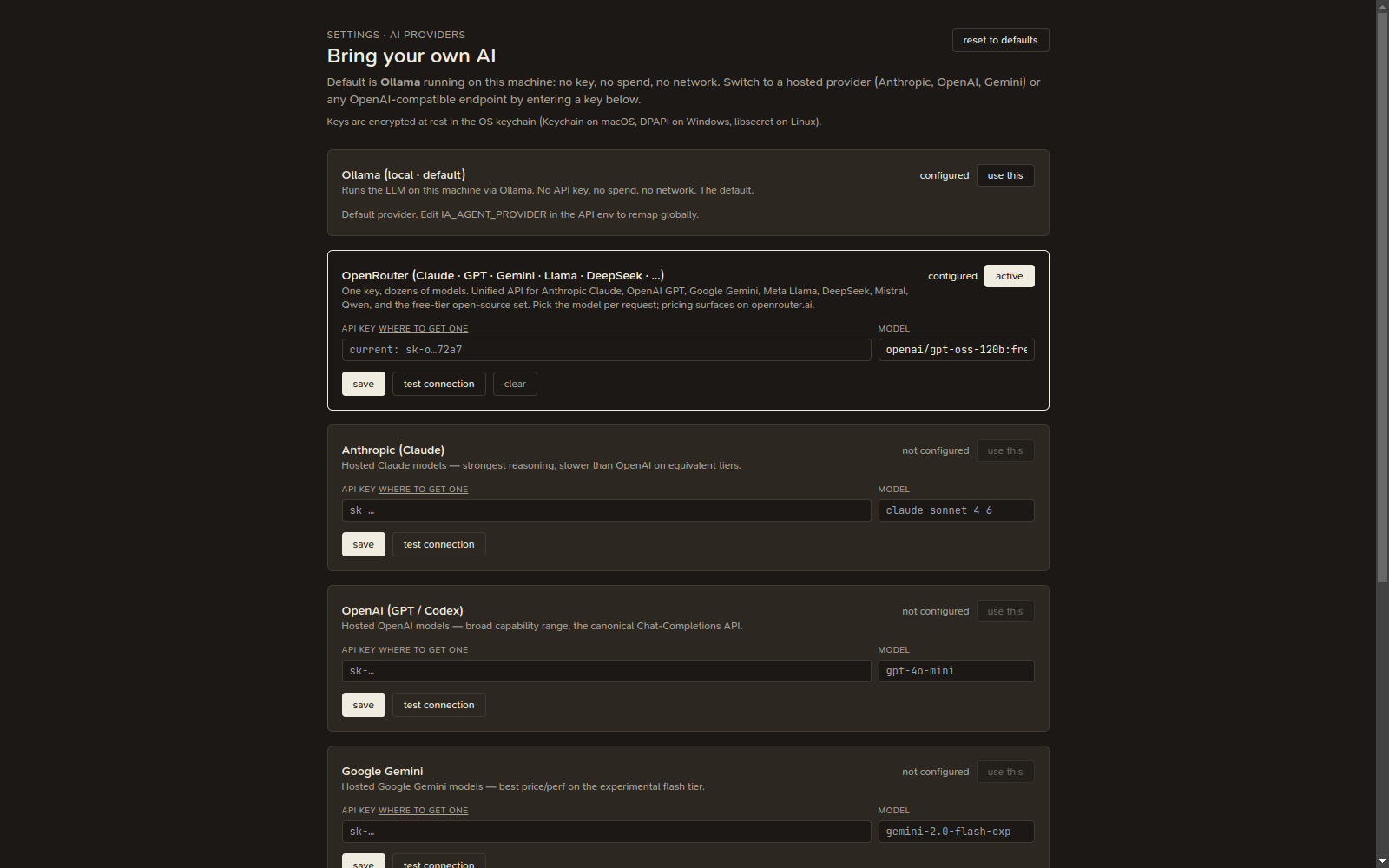
Switch to a hosted provider in Settings → AI providers ("Bring your own AI"):
- Anthropic (Claude)
- OpenAI
- Google Gemini
- OpenRouter (one key, dozens of models)
- Any OpenAI-compatible endpoint (set a base URL)
For each, set your API key, optionally a model, and (for compatible endpoints) a base URL. Re-saving with a blank field keeps your previous value, so you can update just the key without resetting the model.
Test connection
Each provider has a test connection button. It sends a tiny prompt and shows the reply, so you can confirm the key and model work before relying on them.
Reasoning models can return empty
Some models (e.g. gpt-oss, DeepSeek R1) spend their token budget
"thinking" before producing visible text. Scelo gives the test a generous
budget and falls back to the reasoning channel, but if you see
"(connected — model returned no text)", the connection is fine — the model
just needs more tokens or you can pick a non-reasoning model.
Reset
reset to defaults clears every saved key/model and switches back to the local Ollama default. Otherwise your settings persist across launches (keys are held in the OS keychain where available).
How it works in the desktop app
The desktop IDE ships no cloud backend. Chat and the "test connection" call the provider's HTTP API directly from the app's main process (no CORS, the decrypted key never touches the renderer). Replies fill in at once rather than streaming.
See also Chat for where these assistants appear.